Branding
May 21, 2026


You've decided it's time for a website redesign. Maybe the site looks dated. Maybe it's not converting. Maybe you just can't look at that stock photo hero section anymore without wincing.
Whatever got you here — good call. But before you start briefing an agency or design team, it's worth slowing down for a minute. A sloppy brief leads to a redesign that misses the mark, costs more, and takes longer than it should. A sharp brief? That's what turns a painful, drawn-out project into something that actually ships.
This is that guide.
Not every website problem calls for a full redesign. Sometimes a few targeted landing page updates or a design subscription that handles requests one at a time is a smarter investment than blowing everything up.
That said, there are clear signals a redesign is overdue:
Your conversion rate has plateaued or dropped. Studies show a comprehensive redesign can improve lead conversion rates by 25–47% when the original site has UX problems. If your analytics show visitors landing and bouncing without taking action, design is probably part of the problem.
The site doesn't reflect what you actually do. You've pivoted, added products, or moved upmarket — but the website still talks to last year's customer. That mismatch is costing you deals.
Mobile experience is broken. Mobile drives 70–75% of ecommerce traffic. If your site wasn't built mobile-first, it's not just annoying — it's actively losing you money.
You're embarrassed to send prospects to it. This one sounds soft, but it's real. If you hesitate before putting your URL in a Slack message, your website has a credibility problem.
Load times are painful. Every one-second delay in mobile load time reduces conversions by approximately 7%. If your site takes four or five seconds to load, you're losing sales every day.
If two or more of these apply? It's time.
The brief is where most companies lose the plot. Either it's a three-line email ("we need a new website, modern, clean, please advise") or it's a 40-page PDF that nobody reads. Neither works.
Here's what a useful redesign brief actually covers.
Don't assume the design team knows your business. Write two or three sentences that explain what you do, who you serve, and what makes you different. If you can't do that concisely, that's a content problem you'll need to solve during the project anyway.
Describe your primary audience. Not a corporate persona document — just an honest description of the person who lands on your site and what they care about. What are they trying to figure out? What objections do they have? What would make them convert?
Be specific. "The site doesn't convert" is vague. "We have a 78% bounce rate on our pricing page and nobody ever hits the contact CTA" is useful. Dig into your analytics before you write this section.
Pick one or two primary conversion actions. Demo booking. Email signup. Purchase. The more goals you try to optimize for simultaneously, the harder it is to design for any of them well.
Pull five to ten sites you like. Explain what you like about each one — the layout, the copy tone, the way trust signals are handled. Don't just send URLs and expect a designer to read your mind.
List every page you think you'll need. Home, About, Features, Pricing, Blog, Contact — whatever applies. If you have existing content that's reusable, say so. If you need net-new copy, say that too.
Are you staying on your current CMS? Do you need specific integrations (CRM, payment, analytics)? Is there an existing design system or brand guide to work within? Get this on paper early.
Real numbers. If you have a launch deadline (conference, product launch, fundraising round), say so. If you have a budget range, share it. Designers can't scope the right solution without this.
WEBSITE REDESIGN BRIEF

Company:
What we do (2-3 sentences):
Primary audience:
What's not working today:
Primary conversion goal:
Secondary goals (max 2):
Pages needed:
Reference sites (with notes):
Technical requirements/CMS:
Existing brand assets:
Target launch date:
Budget range:
Short enough to fill out in 30 minutes. Detailed enough to actually be useful.
Once you've engaged a design partner, here's a realistic breakdown of what happens next.
This is where the design team gets up to speed on your business, reviews your analytics, audits the current site, and asks a lot of questions. Expect calls, shared documents, and a discovery summary that frames the design direction before anything gets built.
Information architecture, sitemap, and wireframes. The structure of the site gets decided here — what goes where, how navigation works, what the user flow looks like. This is where major disagreements surface, so it's the right time to push back if something feels off.
Visual design happens here. Most teams start with the homepage and one or two key interior pages, get alignment, then move through the rest of the site. Expect two to three revision rounds. The best outcomes happen when feedback is specific ("this button isn't prominent enough") rather than vague ("something feels off").
Design gets built into a live, interactive site. Content gets dropped in. Integrations get connected. QA happens here — test everything on multiple browsers and devices before you sign off.
Final checks, DNS switch, go-live. A good agency will also provide a handoff session so you know how to update and manage the site going forward.
Total realistic timeline: 10–14 weeks for a full website redesign. Anyone promising eight weeks for a complex site is cutting corners somewhere.
Here's a healthcare example that shows clean structure and strong visual hierarchy:

And a fintech site with a polished, conversion-focused layout:
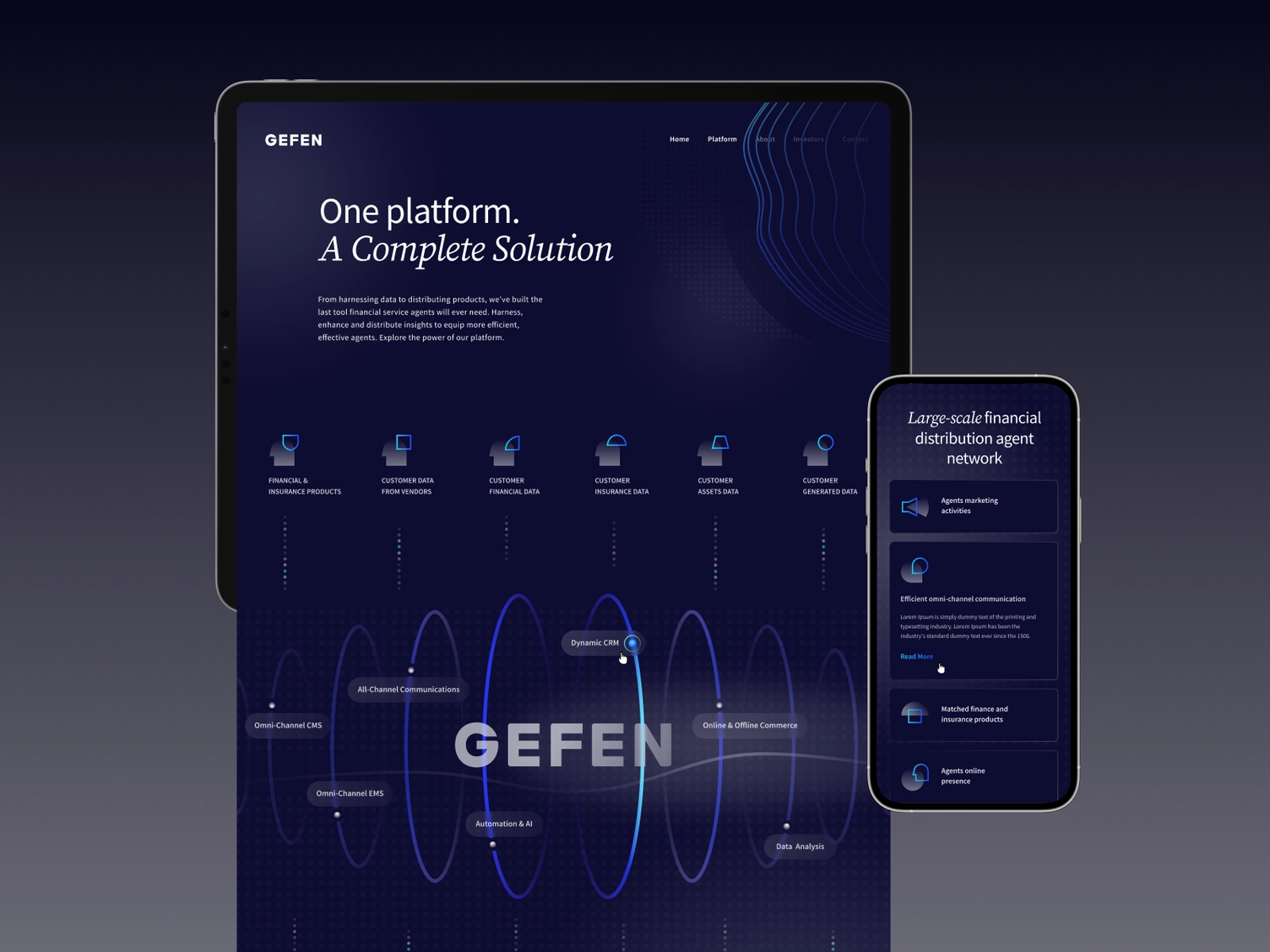
These aren't accidents. They come from clear briefs, tight feedback loops, and designers who understand business goals — not just aesthetics.
Too many stakeholders. Every additional approver adds weeks. Identify one decision-maker before the project starts.
Scope creep. "While we're at it, can we add..." is how a 10-week project becomes a 6-month project. New ideas belong in a backlog, not the current scope.
Waiting for perfect copy. Content kills more redesigns than anything else. Have a plan for who writes what before design starts — not after.
Underestimating migration. If you're changing CMS platforms, existing content doesn't magically transfer. Budget time and resources for it.
Approving designs without checking on mobile. Everything looks good on a 27-inch desktop. Check mobile at every stage.
A redesign isn't a finish line — it's a starting point. Collect data for the first 60–90 days, then start iterating. Which pages have high drop-off? Which CTAs are converting? What's your new baseline?
This is where ongoing design support pays off. Instead of waiting 3–4 years for the next big redesign, teams that ship small design improvements continuously stay ahead of the curve.
At Jamm, we work as an ongoing design partner — unlimited requests, flat monthly rate, around a 2 business day turnaround. One thing at a time, done right. It's how brands stay sharp between big redesigns without spinning up a hiring process every time something needs updating.
If you're planning a redesign and want to talk through scope and approach, book a quick intro call — no pressure, just a real conversation. Or if you're already sold on the model, see our subscription plans. The brief is the thing. Spend an hour on it before you spend a single dollar on design, and you'll save weeks on the back end. Your designer can't read your mind — but they can execute like crazy when you give them something real to work with.
Hire a team of top level professionals for less money than hiring a single designer. Stupid simple design subscription service to level-up your business!
Looking forward to potentially working with ya ✌️


