Branding
May 21, 2026

Here's a question worth sitting with: if you stripped all the copy from your website, would visitors still understand what your product does?
For most SaaS companies, the answer is no. And that's a problem. Because people don't read — they scan, skim, and scroll. You have about three seconds to communicate value before someone bounces.
Motion graphics for SaaS solve this at the visual layer. Done right, a well-crafted animated sequence can show your product's core value in under 10 seconds — no walls of text required.
Static screenshots have limits. They show a moment frozen in time. They don't communicate workflow, progression, or cause-and-effect. They can't show a user clicking something and watching a result appear.
Motion does all of that.
When you animate a product interaction — a drag, a click, a dashboard populating with data — you're recreating the experience of using the software. You're not telling someone what it does. You're showing them what it feels like.
This matters enormously for complex products. If your SaaS has a learning curve, or operates in a niche your visitors aren't already fluent in, animation is often the fastest path to comprehension.
Research backs this up: 96% of people have watched an explainer video to learn about a product or service. And animated demos that highlight user outcomes have been shown to increase purchase intent for 84% of viewers. Those aren't numbers to ignore.
Show progression. Animation lets you compress a 20-step workflow into a 15-second sequence. A user uploads a file → the system processes it → a report appears. That story told in screenshots takes six images and a caption for every step. In motion, it takes seconds.
Communicate speed. One of the most underrated things you can animate is how fast your product is. If your platform generates something in seconds, showing that in real-time (or slightly sped up) is more convincing than any copy claim.
Guide attention. With animation, you control where the viewer looks. A subtle zoom, a highlight pulse, a cursor moving to a specific element — these are all attention-directing tools that static design simply doesn't have.
Not every feature needs motion. The goal of motion graphics for SaaS isn't to animate everything — it's to animate the moments where comprehension breaks down without it.
The core value action. What's the single thing your product does that makes users say "oh, I get it now"? That's your highest-priority animation. If you're a project management tool, maybe it's showing tasks moving through stages. If you're an analytics platform, maybe it's a dashboard loading with real-time data.
The before/after. Animating a transformation — messy data going in, clean report coming out — communicates ROI without a single claim. Show the problem state, then show the resolved state. Simple, effective.
Onboarding flows. If the first five minutes of your product confuse users, animation helps. An animated walkthrough on a marketing page can pre-educate users so that when they sign up, they already feel oriented.
Animating every UI element. Micro-animations on your marketing site can look polished, but animating every card, button, and hover state creates visual noise. Animation should direct attention, not compete for it.
Feature-by-feature tours. Nobody wants to watch a 4-minute screencast of your feature list. Pick the one or two moments that sell the product and animate those. The rest can live in docs.
There's no single "right" style for motion graphics in SaaS. But some approaches tend to land better depending on context.
This is literally animating your actual interface. Recording screen interactions, adding polish, cutting to highlight specific interactions. It's grounded in reality and builds trust because viewers recognize they're seeing the real product.
Works best when: your UI is clean and modern. If your interface has a learning curve visually, polish it before animating it.
Custom illustrated animations that explain how your product works conceptually, often without showing the literal interface. Think colorful icons moving through a pipeline, abstract representations of data flowing, characters navigating a problem.
Works best when: your product is abstract or operates behind the scenes (infrastructure, API, compliance). Also great when your actual UI isn't ready or you're pre-launch.
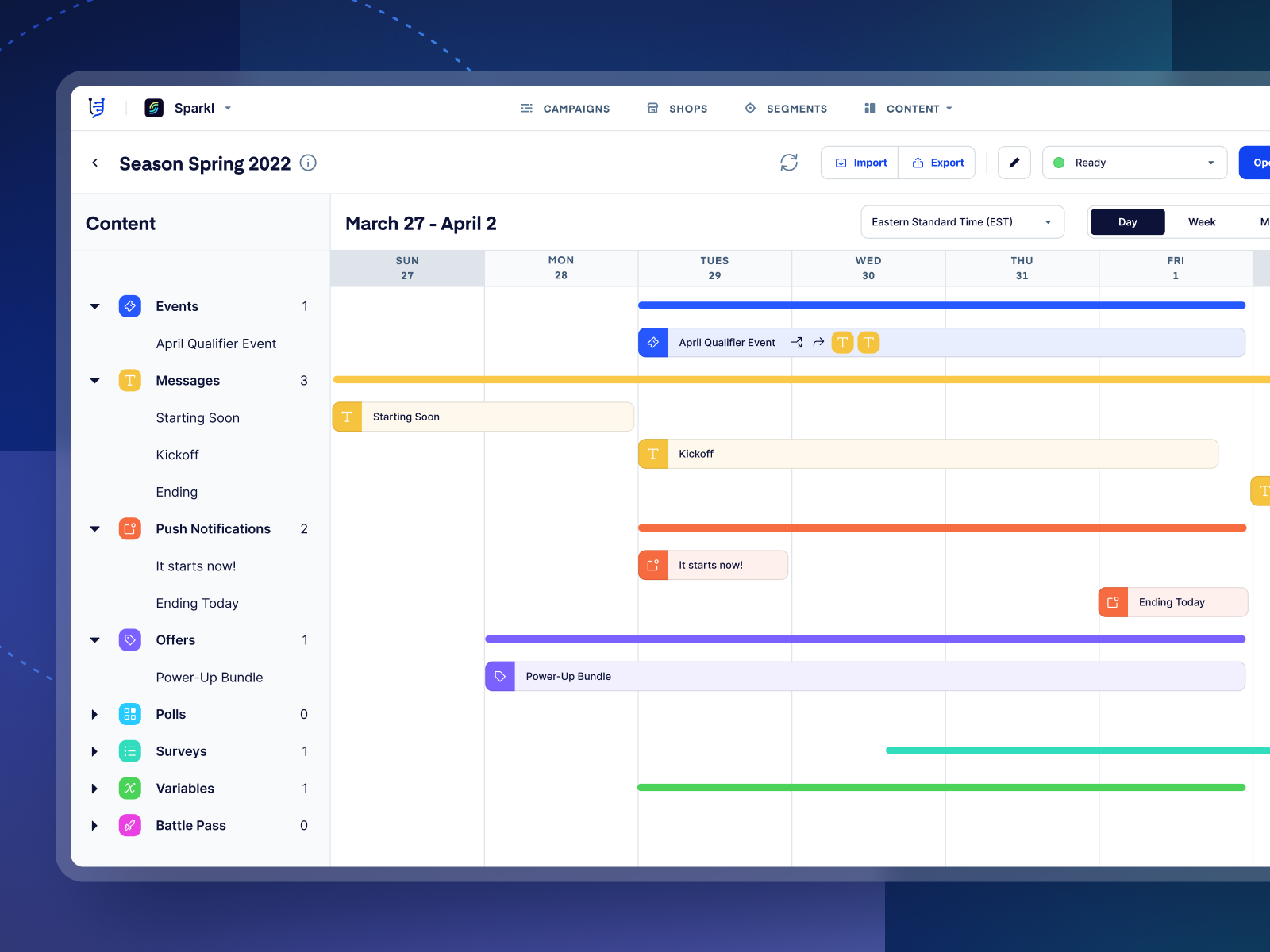
The most versatile approach for most SaaS companies. Animated UI elements float in a styled visual environment — it's clearly a software product, but the presentation has visual flair that a bare screen recording doesn't.
This is the approach Jamm's design team defaults to for a lot of SaaS clients. The UI elements are real — pulled from your actual product — but they're placed into a styled visual context that makes them feel intentional rather than like a plain screen recording. It reads as polished without requiring a full custom illustration pipeline.
Want a team that handles all of this end to end? Book a call and let's talk through what your product needs.
The biggest mistake SaaS teams make with motion graphics is skipping straight to production. You pick a vendor, you brief them on features, and you end up with a visually slick animation that nobody watches past the 10-second mark.
Strategy comes first. Ask yourself:
Who is this for? A cold audience seeing your brand for the first time needs different motion than a warm lead who already knows your category. Top-of-funnel motion should be punchy and problem-first. Mid-funnel can go deeper on mechanics.
What's the one thing they need to understand? A single core insight communicated clearly beats five features communicated muddily. Ruthlessly prioritize.
Where is this living? A hero animation on your homepage has different constraints than a demo on a product landing page. Homepage animations need to work on autoplay, without sound, in three seconds. A product page animation can ask for more attention.
What's the call to action? Every animation should point somewhere. Sign up for a trial. Book a demo. Read the docs. Build the CTA into the motion itself — not just as an afterthought at the end.
Motion graphics for SaaS sit at the intersection of design and video production. This means most generalist design subscriptions can't handle them — and most video agencies over-engineer them.
What you actually want is a team that understands both: how to design product UI, and how to animate it with intentionality. That's a specific skill set.
Jamm works on one request at a time, delivering each piece for feedback before moving to the next. For motion projects, that means your first deliverable might be a style frame or storyboard — you review, give direction, and then the full animation follows. No surprises. No weeks of silence followed by a result that misses the mark.
If you've been putting off motion because it felt too complex or expensive, it probably is — in the wrong hands. The right hands make it feel obvious.
If you're still figuring out which animation style fits your brand, the explainer video styles guide is worth reading before you brief anyone.
And if you're trying to understand what production actually costs before you commit, explainer video pricing for 2026 breaks down the real numbers.
Motion graphics for SaaS aren't a luxury. For products with any complexity — which is most of them — animation is often the most efficient way to communicate value at scale. One well-made animated demo can do more work than a full page of copy.
The question isn't whether you need motion. It's which moments are worth animating, and who should make them.
If the answer to that second question isn't clear yet — that's what we're here for. Start your design subscription and get motion graphics that actually explain what you built.
Hire a team of top level professionals for less money than hiring a single designer. Stupid simple design subscription service to level-up your business!
Looking forward to potentially working with ya ✌️


