Branding
May 21, 2026

Every week there's a new AI design tool promising to replace your entire creative team for $29/month. Most of them are hype. A handful are genuinely useful. And a few have changed how design actually gets done.
Here's an honest look at what's working for startup founders in 2026 — what the tools can actually do, where they fall flat, and where the human layer still matters.
No breathless AI cheerleading. No hand-wringing about robots taking jobs. Just a practical roundup.
Still the benchmark for AI image quality. Over 21 million registered users and $500M in revenue tell you it's not a fad. Midjourney's outputs are genuinely impressive for brand imagery, conceptual illustrations, and creative direction.
Where it works: Mood boards, marketing imagery, social content, illustration-style brand assets. Founders use it to generate hero images, conceptual visuals for pitch decks, and ad creative variations without a stock photo subscription.
Where it doesn't: Consistent brand application. Midjourney is great at one-off impressive images but terrible at maintaining visual consistency across a brand system. You can get ten stunning images that all look like they're from different companies.
The honest verdict: Genuinely useful as a creative starting point or for low-stakes visual content. Not a replacement for a brand identity or a strategic visual system.
Adobe's native AI is deeply integrated into Photoshop, Illustrator, and Express. For teams already in the Creative Cloud ecosystem, Firefly is seamlessly useful for background generation, content-aware fill, and generative recolor.
Where it works: Extending product photos, removing backgrounds, generating variations on existing brand assets. The commercial licensing clarity (Firefly is trained on licensed content) makes it safer for business use than some alternatives.
Where it doesn't: Standalone creative generation — the output quality for original imagery lags Midjourney. It's a tool for editing and augmenting existing work, not generating net-new brand-grade visuals.
The honest verdict: Worth using if you're already in Adobe's ecosystem. Not worth switching from Midjourney for pure image generation.
Framer added AI generation that produces complete, live-publishable websites from text prompts. Describe your business and design style in plain English, and get a publishable draft in under a minute.
Where it works: Getting from nothing to something fast. Framer AI is legitimately useful for founders who need a landing page this week, not next month. The output often looks better than most templates.
Where it doesn't: Brand alignment and differentiation. Framer AI generates good-looking generic sites. If your competitors are also using Framer AI, your sites will all start to look similar. And the more complex your product or messaging, the more AI-generated copy and layout misses the mark.
The honest verdict: Great for MVPs and speed. Not for brands that need to stand out.
Relume generates Webflow and Figma component libraries from a site brief. It's more of a wireframe accelerator than a finished product — it creates the structure of a site, which you or a designer then refines.
Where it works: Kickstarting Webflow builds. Relume cuts the structural scaffolding time dramatically. Designers use it to get a solid starting point in an hour instead of a day.
Where it doesn't: Output quality without significant refinement. Relume-generated sites look competent but templated without a skilled designer making them specific to a brand.
The honest verdict: A real time-saver in the right hands. Not a standalone tool — it multiplies a good designer's output, not replaces them.
Galileo generates UI designs from text descriptions. Describe a SaaS dashboard or a mobile app flow, and it produces screens.
Where it works: Early-stage wireframing, exploring layout directions, communicating product concepts quickly. Founders use it to show developers roughly what they have in mind without needing a designer for initial exploration.
Where it doesn't: Production-ready UI. Galileo output requires significant cleanup before it's actually buildable. Interactions, edge cases, component states — none of that gets handled by the AI. And brand-specific design? Forget it.
The honest verdict: Useful for quick exploration and ideation. Not ready to build from.
Similar territory to Galileo — AI-assisted UI design that converts sketches or text prompts into interactive mockups. Uizard's scan feature (convert hand-drawn wireframes to digital) is genuinely handy.
Where it works: Rapid prototyping, stakeholder communication, wireframe-to-mockup conversion. Founders and PMs use it to get design approximations they can show investors and get early user feedback.
Where it doesn't: The same thing as Galileo — output needs professional polish to become real design.
The honest verdict: A legitimate prototyping accelerator. Best used to think through problems, not as the end product.
Figma's own AI features are baked into the design system most professional teams already use. Figma AI helps with things like auto layout suggestions, layer naming, copy generation within designs, and prototype generation.
With over 13 million monthly active users and 40%+ market share in design tools, Figma isn't going anywhere — and its AI features are steadily improving without requiring a separate tool or workflow.
Where it works: Inside existing design workflows. If you're already in Figma, the AI features add real speed without switching contexts.
Where it doesn't: Generating full designs from scratch — Figma AI is more of a design assistant than a design generator.
Here's what a senior designer brings that AI tools consistently can't:

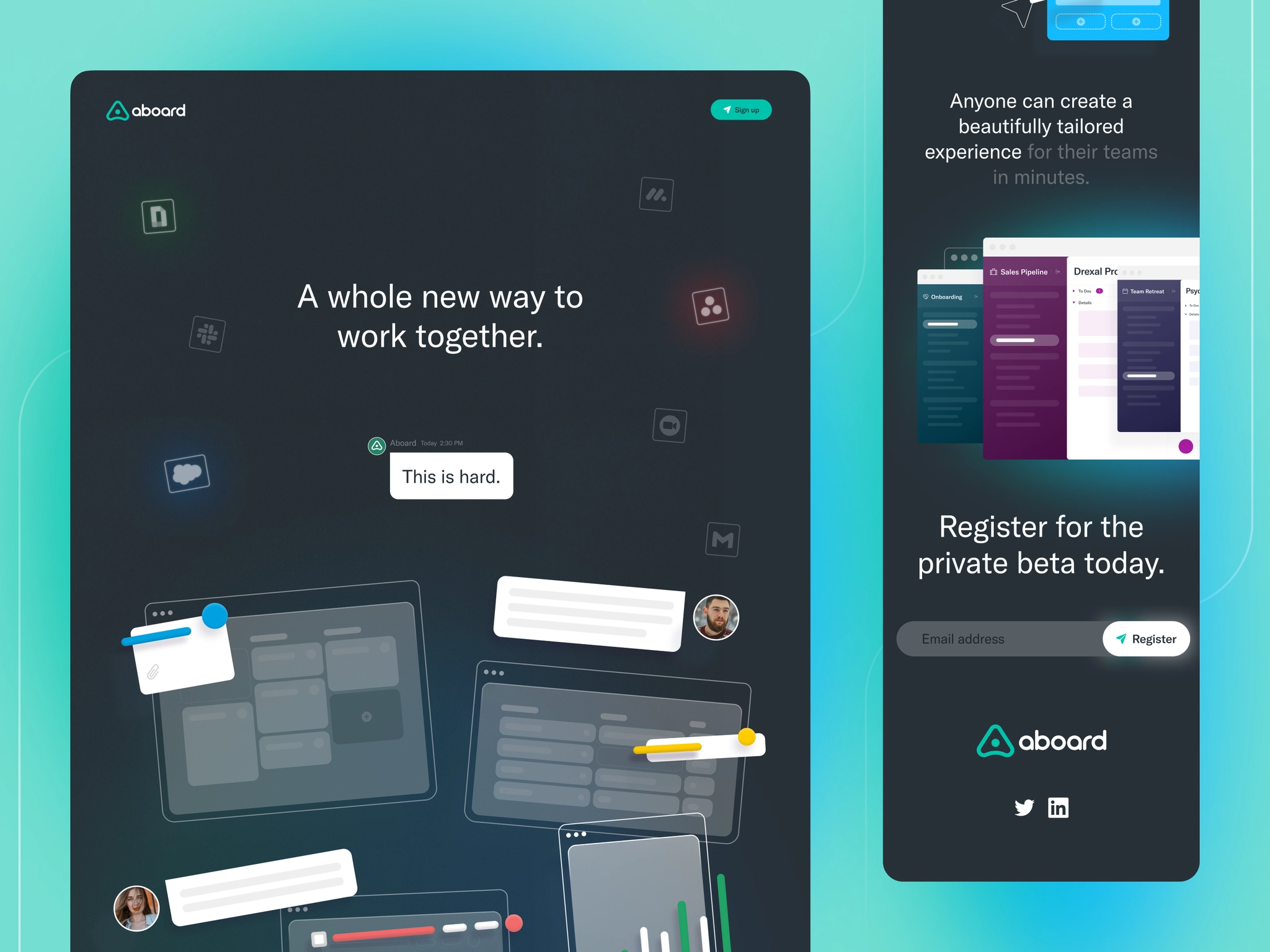
Notice the intentionality — every element is earning its place. The typography scale, the whitespace, the visual weight of each section. AI tools can approximate this look. They can't make the strategic decisions behind it.
Both are genuinely useful for UI microcopy, button text, error messages, onboarding copy, and email sequences. The best use case is getting a strong first draft fast, then refining.
Where it works: Short-form UX writing where speed matters. Founders use AI copy tools to not stare at a blank button label for 20 minutes. The AI drafts it. You refine it. Everyone goes home earlier.
Where it doesn't: Brand voice at depth. AI-generated copy often lacks the specificity, personality, and genuine insight that makes brand writing memorable. It produces competent, serviceable copy — not copy that makes someone say "this brand really gets me."
The honest verdict: Use it. But edit it.
Here's the thing nobody selling you AI design tools wants to say: the gap between AI-assisted design and genuinely great design is still significant — and it shows in outcomes.
AI tools are excellent at:
Human designers are still better at:
The AI-versus-human framing misses the real story. The best design teams in 2026 use AI tools to handle the repetitive, generative parts of design work — and spend their human hours on the strategic, brand-defining decisions that actually differentiate.
This is exactly how Jamm operates. Senior designers who use AI tools where they're genuinely useful and apply craft and judgment where they aren't. Unlimited design requests at a flat monthly rate, around a 2 business day turnaround, cancel anytime.
What you get is a design partner who's already fluent in the AI tools — so they ship faster — while bringing the brand expertise and strategic thinking that turns AI-generated starting points into assets that actually represent your company well.
A founder who uses Framer AI to get a site scaffold and then submits that to Jamm for proper brand application, copywriting, and visual refinement gets much better results than either approach alone. That's not marketing — that's literally how most of our clients work.
Want to see what that looks like in practice? Book a quick call or check our plans.
Every month there's a new AI design tool that promises to change everything. Most of them are incremental improvements on existing workflows, not transformations.
The question isn't "which AI tool should I use?" The question is "what does my brand actually need?" — and that answer requires a human with context about your business, your customers, and where you're trying to go.
The best AI tools make good designers faster. They don't replace the need for good design judgment. Know the difference, and you'll spend your budget a lot more wisely.
Hire a team of top level professionals for less money than hiring a single designer. Stupid simple design subscription service to level-up your business!
Looking forward to potentially working with ya ✌️


